
%201.svg)


HIPAA Compliance Checklist for 2025

Gartner forecasts worldwide software spending of about $1.43 trillion in 2026, up 14.7% from 2025, with generative AI taking a growing share. Most of that is bought as SaaS, and much of it department by department.
That buying pattern is why license counts drift away from real usage. Seats get added for a project, stay assigned after people move on, and renew at the same quantity every term. Keeping purchased, provisioned, and used licenses aligned is the job of license management.
This guide covers how SaaS licensing works, how it compares with perpetual licensing, the main licensing models, and what managing SaaS licenses involves.
What Is SaaS Licensing and How Does It Work?
SaaS licensing is a recurring agreement that grants your users the right to access software the vendor hosts in the cloud. You pay monthly or annually for continued access, and the vendor handles hosting, updates, and maintenance as part of the fee.
You will also see it called licensing as a service, software licensing as a service, or cloud-based software licensing. All of these describe the same idea: the license is tied to a subscription term instead of a copy of the software installed on your machines.
In practice, a SaaS license works in four steps:
- You choose a plan: The plan sets the pricing model, the tier, and the number of seats or usage units.
- You assign access: An admin provisions users, usually through SSO or the app's own admin console.
- You pay for what the contract says: Seats are billed whether or not anyone logs in, and usage-based plans bill for consumption.
- You renew, change, or cancel: Many contracts auto-renew at the same or higher quantity unless someone acts before the notice period.
Free trials usually sit in front of step one, typically 7 to 30 days with full or near-full access.
What does a SaaS license include?
A SaaS license defines the commercial and usage terms of your access. Most agreements cover:
- Quantity: the number of seats, users or usage units you have paid for.
- Tier and features: which capabilities each license type unlocks.
- Term: monthly, annual or multi-year, with start and end dates.
- Renewal terms: auto-renewal clauses, notice periods and price escalators.
- Usage limits: storage, API calls, credits or overage charges.
- Data and service terms: data handling, security commitments and SLAs.
These terms usually sit inside a broader contract, which is why it helps to know what to check in a SaaS license agreement before you sign.
SaaS License vs Perpetual License: What Is the Difference?
A perpetual license is a one-time purchase that lets you use a specific version of the software indefinitely. A SaaS license is a subscription that gives you access only while you keep paying.
The last row matters most for buyers. A perpetual license you stop using costs nothing more. An unused SaaS license costs you again at every renewal.
Both sit within the wider set of software license types. Software licenses are generally grouped as proprietary, open-source and subscription, and SaaS licensing is the subscription form of a proprietary license.
What Are the Main SaaS Licensing Models?
Most SaaS vendors price with one of six licensing models, and AI tools increasingly combine two of them. The model decides what you pay for and where unused spend builds up.
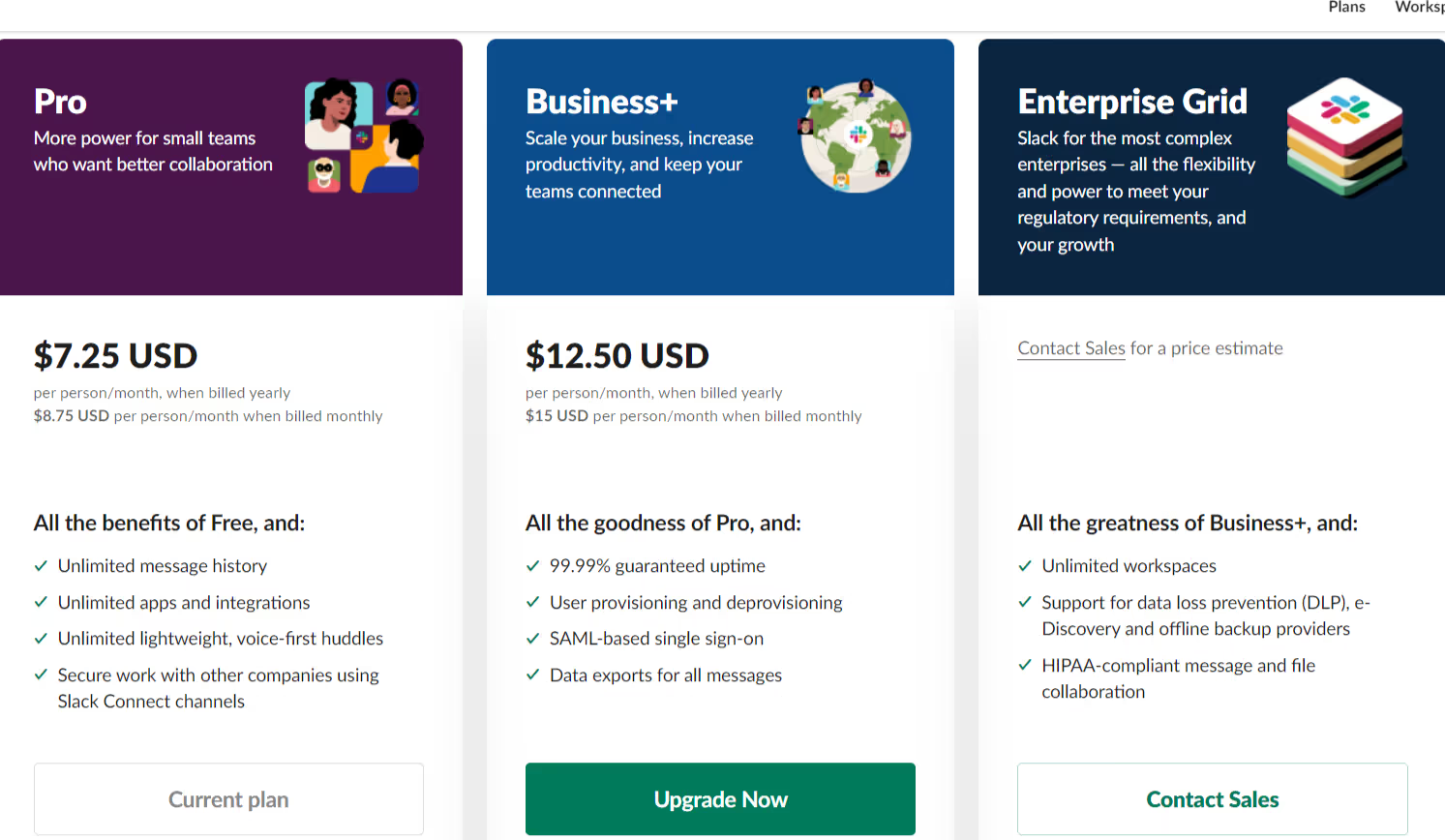
Slack is a common example of per-user licensing, where every active member on a paid plan is a billable seat.
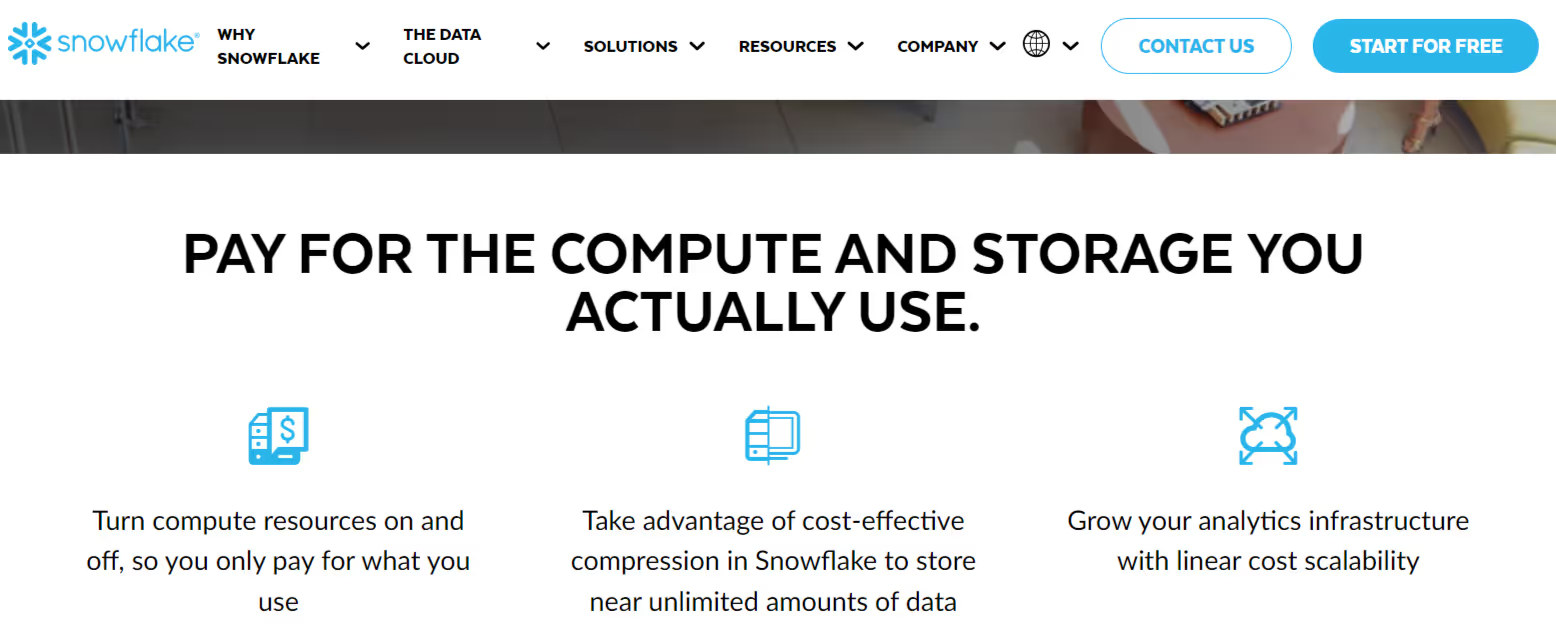
Snowflake is a common example of usage-based licensing, where you pay for the compute and storage you consume.
The hybrid model is the one to watch in 2026. Under token-based billing for ChatGPT Enterprise, for example, metered usage is billed monthly alongside any contracted seat fees, so tracking seats alone misses part of the cost. That is why AI usage control covers both seats and token usage for AI licenses.
Term length and auto-renewal clauses shift the cost of every one of these SaaS licensing models, so the model alone never tells you the full price.

What Is SaaS License Management?
SaaS license management is the practice of tracking every SaaS and AI license your organization pays for, comparing it with real usage and acting on the difference. It covers discovery, tracking, reclamation, and renewal across the whole license lifecycle.
A working SaaS license management process runs in this order:
- Discover every app: Build a full inventory of SaaS and AI tools, including ones bought outside IT.
- Record what you purchased: Capture seat counts, tiers, terms, and renewal dates from each contract.
- Compare provisioned vs used: Check who has access against who actually logs in and uses key features.
- Reclaim and downgrade: Move unused licenses to people who need them, or drop them to a lower tier.
- Act before renewal: Use the usage data to renew at the right quantity and price.
The steps stay the same whether you call it SaaS software license management, cloud-based software license management, or license management as a service. What changes with scale is how often you run them, and SaaS license management across a large stack turns them into a continuous process.
Where does SaaS license waste come from?
License waste builds up in predictable places:
- Unused licenses: seats assigned to people who stopped using the app, or never started.
- Over-provisioned access: admins adding users beyond the contract, which creates true-up charges at renewal.
- Missed renewals: contracts that auto-renew at unfavorable terms because nobody tracked the notice date.
- Shadow SaaS and shadow AI: tools bought on a card by one team, often duplicating a tool another team already pays for, such as duplicate copilots.
- Unmonitored token consumption: AI licenses on hybrid plans, where spend grows with usage while the seat count looks unchanged.
- Offboarding gaps: departed employees who keep a paid seat because no one removed their access.
Each of these is invisible when license data, usage data and contract data live in different systems.
Can you manage SaaS licenses in a spreadsheet?
A spreadsheet works for a handful of apps and a small team. It breaks once you have dozens of vendors, because it cannot pull login or feature usage; it goes stale the day after someone updates it, and it will not alert anyone before a renewal date.
Most teams move off spreadsheets when renewals start slipping or when finance asks why license spend rose while headcount did not.
How CloudEagle.ai Helps with SaaS Licensing and SaaS License Management
CloudEagle.ai is an AI-powered SaaS Management, AI Governance, and SaaS Security platform that gives enterprises one command center to discover, secure, govern and optimize their entire SaaS and AI stack. For SaaS licensing, that means one view of every license you pay for, set against how it is actually used.
The work runs in a sequence. CloudEagle.ai first finds every app, then lines up licenses against usage, then extends that view to AI licenses, then reclaims what is unused, and finally carries the data into renewal.
A. Find every SaaS and AI app in use
License management starts with an inventory, and most inventories are incomplete. Apps bought on corporate cards, free tools that became paid, and AI assistants signed up for by individual teams rarely reach IT's list.
CloudEagle.ai builds the inventory from multiple discovery sources, including your identity provider, finance systems, firewall, MDM, and browser, so it picks up shadow SaaS and shadow AI tools that never went through procurement.
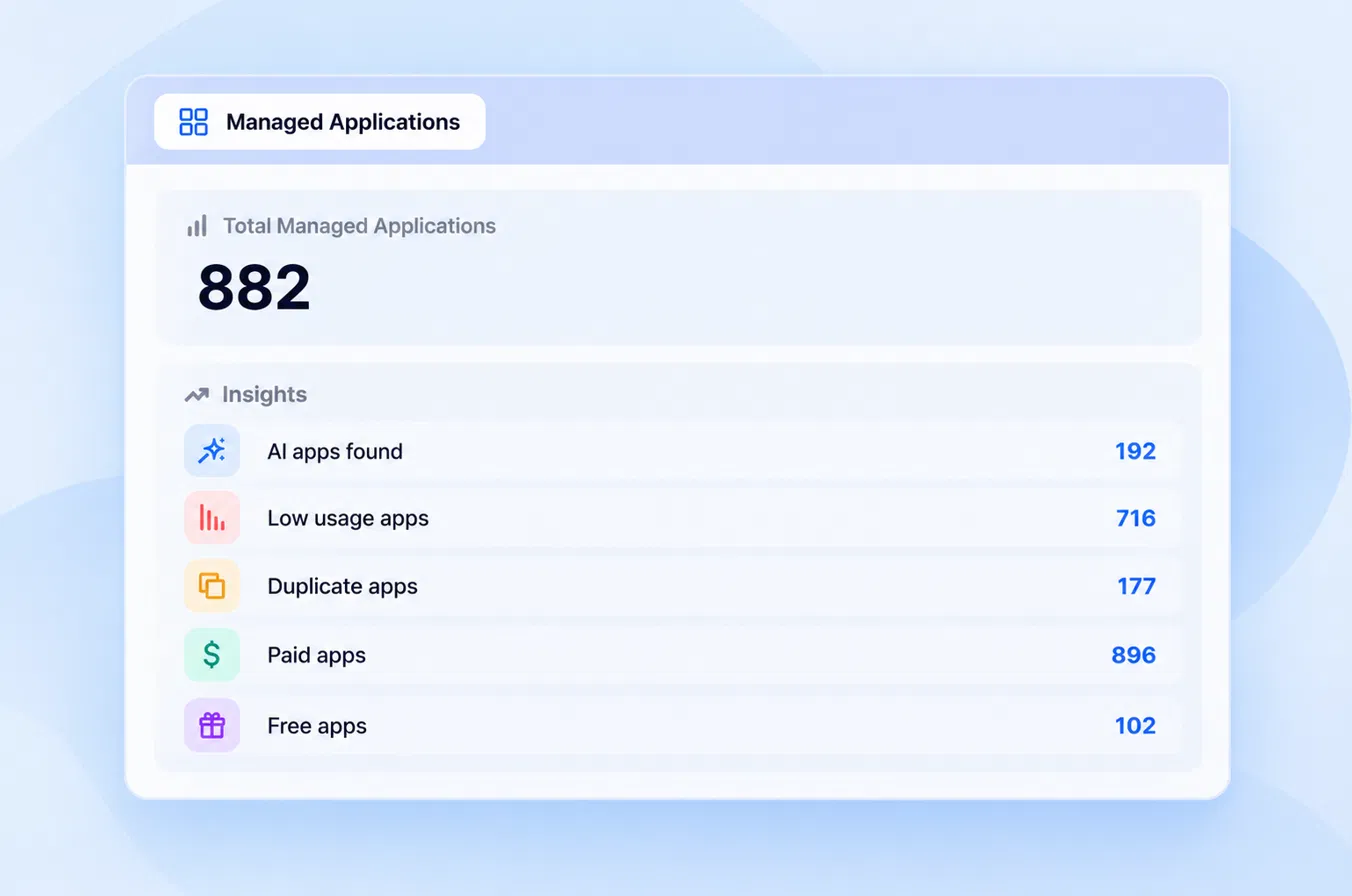
The result is a complete list of what your organization pays for. With that in place, the next question is how much of each license is actually used.
B. See purchased, provisioned, and used licenses side by side
A license count from the contract tells you what you bought. It does not tell you who uses it, or whether they need the tier they are on.
CloudEagle.ai connects to apps through 500+ direct integrations and shows purchased, provisioned, and used licenses for each one. Usage goes beyond logins to feature level, roles, and permissions, so you can see which users only touch basic features on a premium license.
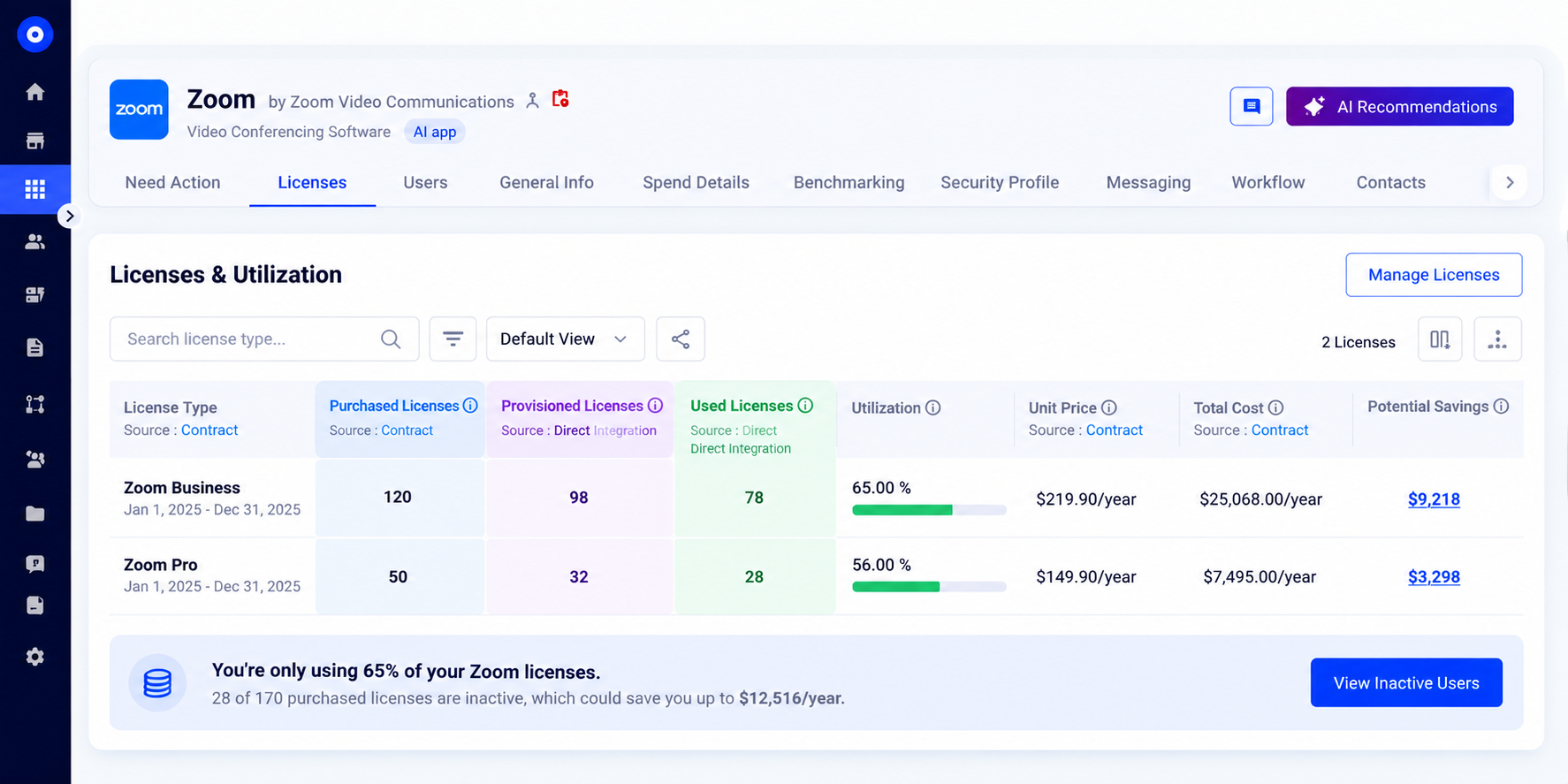
This turns SaaS license tracking into a list of specific seats to reclaim or downgrade. AI tools need the same view, with one more number added.
C. Track AI seats and token usage
AI licenses on hybrid plans carry two costs, seats and token consumption, and most admin consoles show them separately or not at all. Finance sees the invoice after the usage has already happened.
CloudEagle.ai tracks token usage and AI spend the same way it tracks license usage, across users and API keys, through AI usage control for every AI app in your stack. You can see which teams drive consumption and where duplicate copilots overlap.
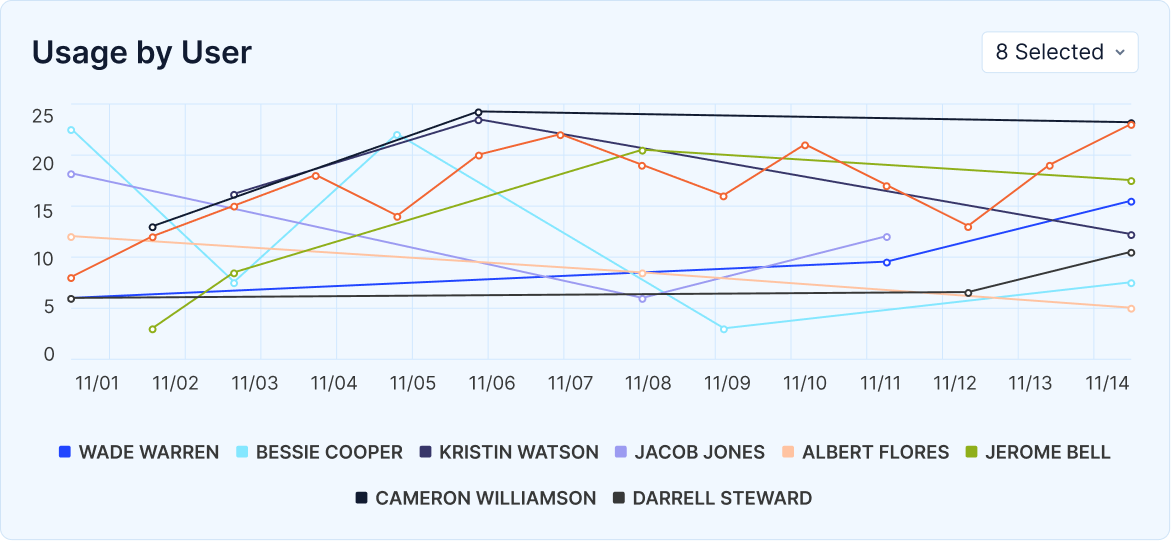
With SaaS and AI usage in one view, the unused licenses are easy to spot. The next step is getting them back.
D. Reclaim and downgrade unused licenses through approval workflows
Finding unused licenses saves nothing until someone acts on them. Done by hand, that means chasing app admins and asking users one by one.
CloudEagle.ai runs license harvesting through approval workflows that you configure once. When usage drops below your threshold, the workflow flags the license, routes it for approval in Slack or email and then reclaims it for reassignment or downgrades it to a lower tier. RingCentral used this approach to cut the time and cost of license harvesting.
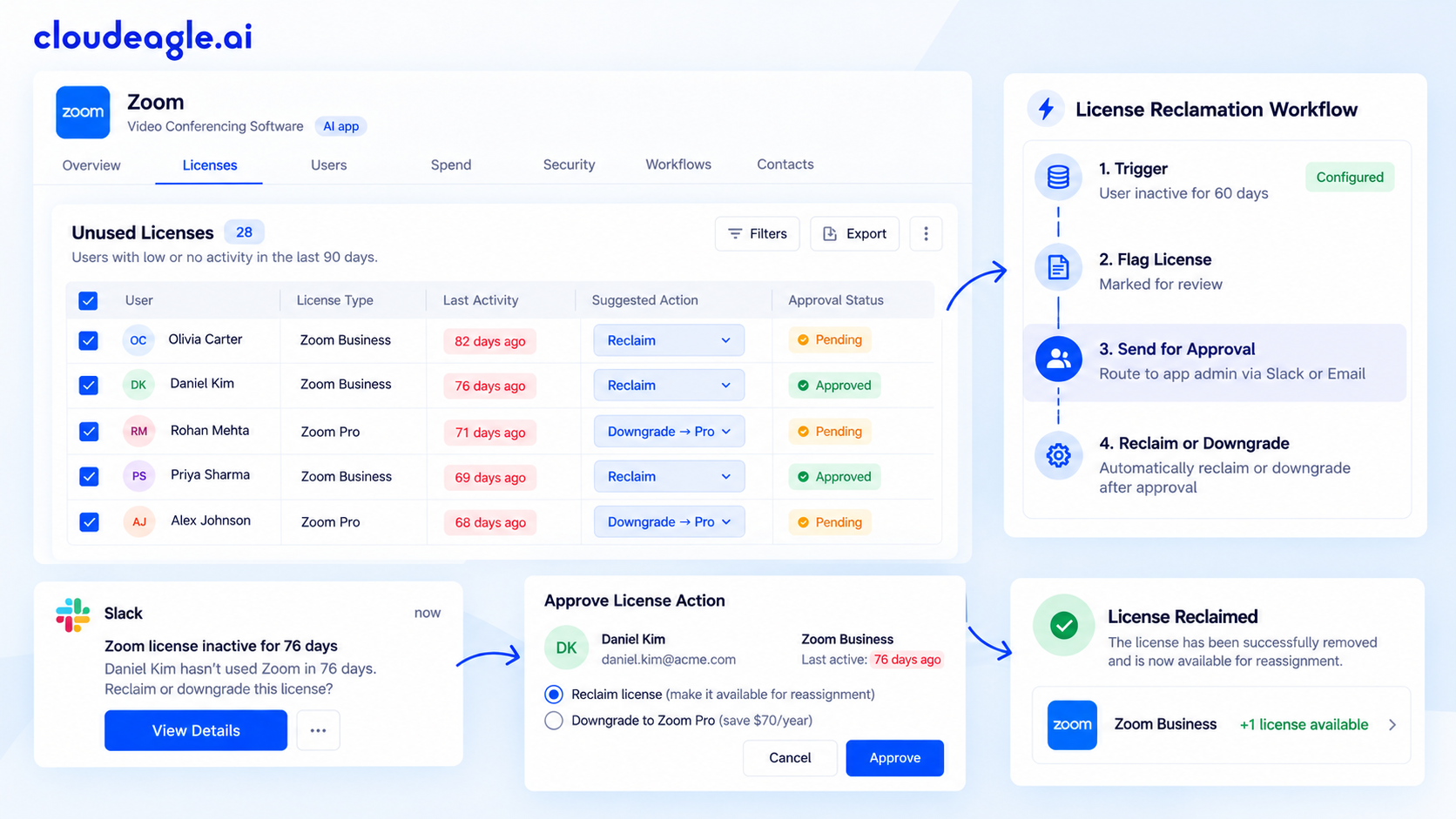
Reclaimed licenses lower what you need to buy. That number matters most at the next renewal.
E. Act before the renewal date
Auto-renewals lock in last year's seat count, and often last year's price. Without usage data in hand before the notice period, there is little room to negotiate.
CloudEagle.ai extracts contract metadata with AI and builds a renewal calendar with alerts ahead of each notice date.
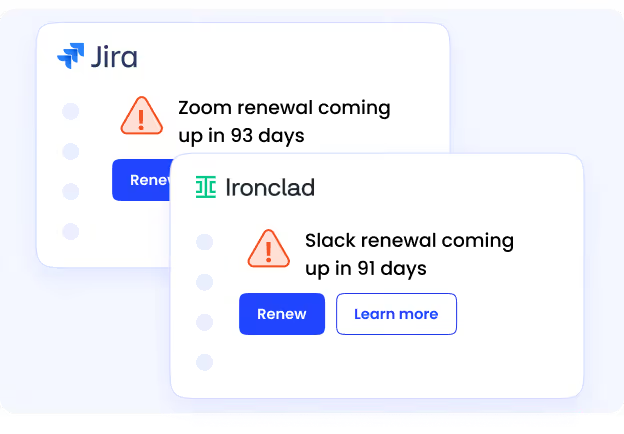
Price benchmarking shows what similar companies pay for the same tool, with no contract upload needed from your team.
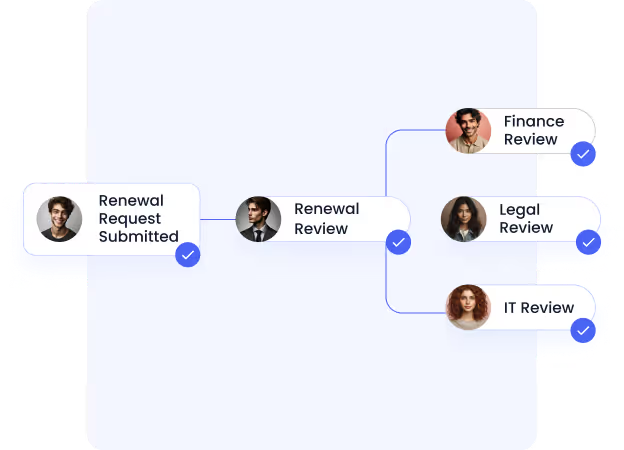
You renew at the quantity you use and a price you can defend. Across customers, CloudEagle.ai has delivered 10 to 30% savings on SaaS and AI spend and more than $3B in savings overall.
Conclusion
SaaS licensing gives you flexible access to software, but it also means every unused seat costs you again at renewal. The licensing model decides where that waste builds up, and AI tools add token consumption on top of seats.
Managing it comes down to one comparison: what you purchased, what you provisioned and what people actually use. When that view covers every SaaS and AI app, you can reclaim seats, right-size tiers and renew with real numbers.
If you want to see that view across your own stack, book a CloudEagle.ai demo.
FAQs
1. Is a SaaS subscription the same as a SaaS license?
In practice, mostly yes. The subscription is the commercial arrangement you pay for, and the license is the set of usage rights that subscription grants, such as the number of users, features and limits.
2. Do you own the software under a SaaS license?
No. A SaaS license gives you the right to access software the vendor hosts, for as long as the subscription is active. Your data stays yours under most agreements, so check the data export and termination terms before signing.
3. Which SaaS licensing model costs the least for a growing team?
It depends on how evenly people use the tool. Per-user pricing is predictable when everyone uses the app daily, while usage-based pricing costs less when usage is uneven but needs monitoring to avoid overages.
4. What happens to a SaaS license when an employee leaves?
The license stays assigned, and keeps costing you, until an admin removes the user or reassigns the seat. Automating offboarding with employee onboarding and offboarding workflows closes that gap.
5. How do you reclaim unused SaaS licenses without cutting off people who need them?
Set a clear inactivity threshold, notify the user before reclaiming and route the decision through an approval step. That way a user who still needs access can say so before the seat is removed.
6. How often should you review SaaS licenses?
At minimum, review each app 90 days before its renewal notice date, and run a broader SaaS license review every quarter. Apps on usage-based or hybrid plans need monthly checks, because spend can move between renewals.
See Purchased, Provisioned, and Used Side by Side




.avif)


.avif)
.avif)




.png)





.avif)
.avif)
.avif)


