You need to enable JavaScript in order to use the AI chatbot tool powered by ChatBot
JML & Secure Employee Onboarding and Offboarding Solution

Access Granted Right. Access Removed Right.

Ensure new hires start productive on day one with JML automation. Access updates automatically as roles change or employees leave, keeping access audit-ready.

End-to-End Employee Lifecycle Management

Imagine: New employees need quick access to the tools and systems they’ll use to be productive, and when someone leaves, their access must be revoked instantly to protect your data. But managing this process manually is time-consuming and prone to errors.

Without CloudEagle

Onboarding is slow and requires IT to manually provision access to multiple apps.
Offboarding is just as difficult, with users’ access often lingering even after they leave, creating security risks.
Tracking which apps employees have access to during their tenure is cumbersome, and deprovisioning licenses is often forgotten.
Result: Onboarding delays lower productivity, while offboarding gaps expose the organization to potential security threats.

With CloudEagle

CloudEagle automates employee onboarding, ensuring that new hires get the right access to the tools they need from day one.
Offboarding is just as seamless, when an employee leaves, access is automatically revoked, ensuring that no permissions are left behind.
IT teams get full visibility into which apps employees are using, making sure access is always up-to-date and secure.
Result: Faster onboarding, streamlined offboarding, and enhanced security, without manual intervention.
Customer Spotlight:
“Although we initially used Okta for app access provisioning and deprovisioning, we later augmented it with CloudEagle.ai to enhance its capabilities. The tool provided more customization and advanced features, improving the efficiency of employee onboarding and offboarding processes with better control and reporting."
— Fred Anthony, VP of Technology, JoVe
Read Success Story

Ensure every employee has the right access at the right time throughout their lifecycle

Faster, Cleaner Employee Onboarding
App recommendations
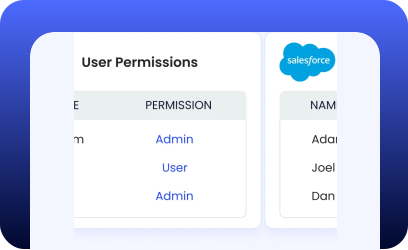
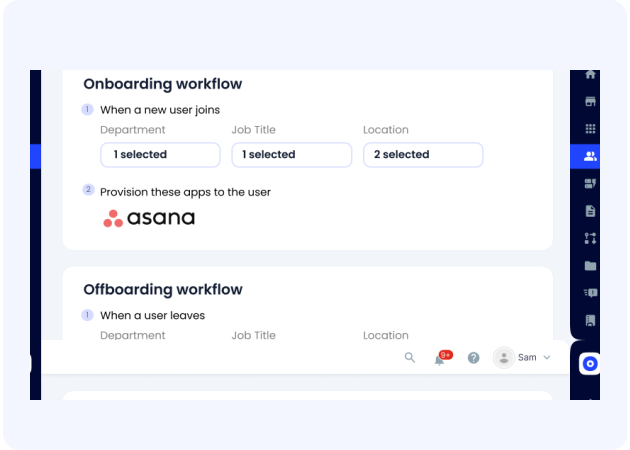
One console provisions access across all applications, whether behind Okta or not, without requiring IT to learn individual app consoles
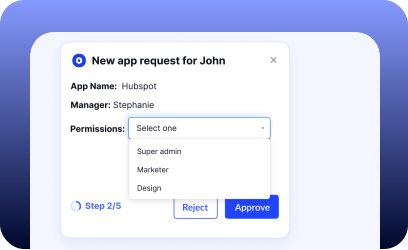
  • New employees are automatically detected, with app access suggested based on role, team, and peer usage
  • Set once, forget forever: policy-based rules handle provisioning without manual intervention or last-minute fixes
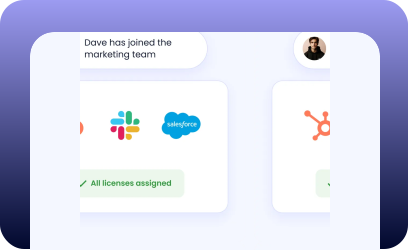
  • License counts update automatically as access is granted, keeping inventory accurate from day one
App recommendations
App recommendations

Consistent Access During Role Changes

App recommendations
Access stays aligned as employees change roles, locations, or teams, preventing privilege creep and missed removals.
  • Access adjusts as responsibilities change, preventing privileges from quietly accumulating over time
  • Employees retain continuity in their work without carrying access they no longer need
  • Security teams maintain confidence that access reflects current roles, not historical ones

Complete and Confident Employee Offboarding
onboarding, prompt offboarding
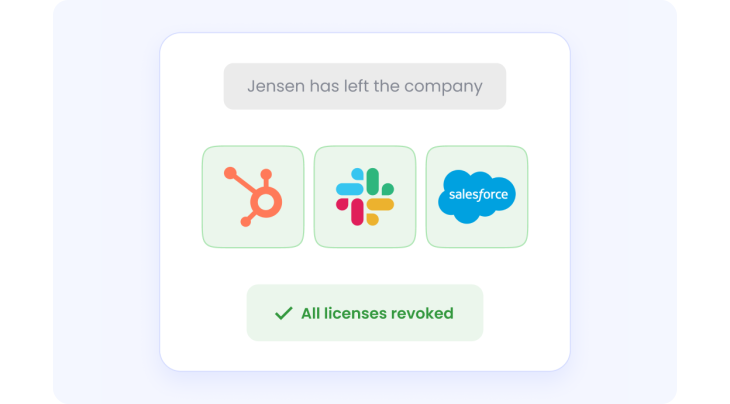
When employees leave, all access closes cleanly, ensuring no accounts, privileges, or licenses remain behind.
  • All application access is automatically revoked across IDP-managed and non-IDP apps from one unified console
  • Deprovisioning rules are set once and applied consistently, with no dependency on expensive IDP tiers
  • Licenses are instantly reclaimed and reflected in the inventory, aligning spend with active headcount
onboarding, prompt offboarding

Unified, Audit-Ready Employee Access History

onboarding, prompt offboarding
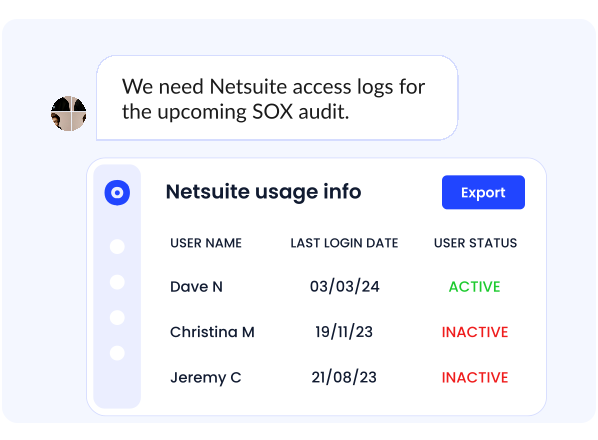
Maintain a complete, tamper-proof record of every application an employee accessed, from onboarding to exit.
  • Generate a full access audit trail for each employee across their entire lifecycle
  • Instantly produce historical reports to support compliance reviews, investigations, and audits
  • Replace fragmented logs and assumptions with verifiable, time-stamped access evidence

Frequently Asked Questions

1. How does CloudEagle handle access provisioning for apps not behind an IDP like Okta?

CloudEagle provisions and deprovisions access across both IDP-managed and non-IDP applications from a single console. This eliminates the need to manage access directly inside individual app admin panels or upgrade to expensive IDP tiers.

2. How are app access recommendations made during onboarding?

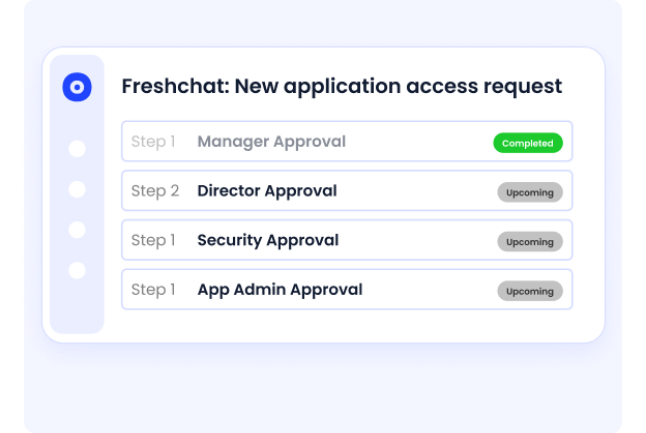
Access is suggested automatically based on role, department, location, and peer usage patterns. This ensures new hires get productive on day one without over-provisioning or manual guesswork.

3. Can CloudEagle automate access changes when an employee changes roles or teams?

Yes. CloudEagle continuously aligns access with employee attributes, so permissions adjust automatically as roles, teams, or locations change—preventing privilege creep and outdated access.

4. How does CloudEagle prevent privilege creep over time?

Policy-based access rules ensure employees only retain access relevant to their current responsibilities. When roles change, unnecessary permissions are removed automatically instead of accumulating silently.

5. What happens to licenses when access is granted or removed?

License counts update in real time as access is provisioned or revoked. This keeps your SaaS inventory accurate and ensures you’re only paying for licenses tied to active users.

6. How quickly is access revoked during employee offboarding?

All application access is revoked automatically and instantly across both IDP and non-IDP apps. This ensures no orphaned accounts, lingering privileges, or unused licenses remain after an employee exits.

7. Does offboarding rely entirely on the identity provider?

No. CloudEagle operates independently of IDP limitations, applying consistent deprovisioning rules across all apps without relying on premium IDP features or manual cleanup.

8. Can CloudEagle reclaim and reuse licenses after offboarding?

Yes. Licenses are immediately reclaimed and reflected in the inventory, allowing teams to reassign them or reduce spend based on actual headcount.

9. What kind of access history and audit trail does CloudEagle maintain?

CloudEagle maintains a complete, tamper-proof record of every application an employee accessed—from onboarding through role changes to offboarding—backed by time-stamped evidence.

10. How does CloudEagle support audits and compliance reviews?

Security and compliance teams can instantly generate historical access reports for any employee, replacing fragmented logs and assumptions with verifiable, audit-ready data.

Smarter Employee Onboarding & Offboarding for Secure SaaS Management

Book a Demo

Make your employees productive day 1 by granting them access to the right tools.

Give your employees the tools they need to do their jobs from Day 1. When employees leave, ensure they don’t have access to your privileged tools and data. Most importantly put this on auto-pilot, so you know it will be done accurately every time. Now you have one dashboard to manage access for SCIM and non-SCIM apps.

Get our comprehensive guide on 'Identity and Access Management.

Trusted by high growth companies like yours

Provisioning and deprovisioning users used to take hours, even days, and often led to delays and security risks. With CloudEagle.ai's automated workflows, we now ensure Day 1 access for new hires and immediate deprovisioning for departing employees, saving time and enhancing security .
Sam middleton
Sam Middleton
Head of IT

Make your employees productive day 1

onboarding, prompt offboarding
Providing access to the right tools for new employees can take weeks causing frustration and confusion for new employees. With automated workflows you can ensure your employees have all the right access levels from day 1.
onboarding, prompt offboarding
App recommendations

Regulate access with secure offboarding

IT no longer has to keep track of offboarding dates. Automatically revoke access to all applications that the employee had access to, when they leave the company.

Recommended apps

Don’t wait for employees to send in-app access requests. CloudEagle recommends apps based on the employee's department and role so you can grant them access right-away. Add users to specific OKTA groups for easier access management.
App recommendations
App recommendations

One dashboard to manage access to SCIM and non-SCIM apps

Grant/revoke access to not just SSO-enabled apps. With CloudEagle you can manage access to all apps, SCIM enabled or not.

See onboarding/offboarding workflows in action